Play Mode
Designing a portfolio worth exploring
A portfolio you can explore

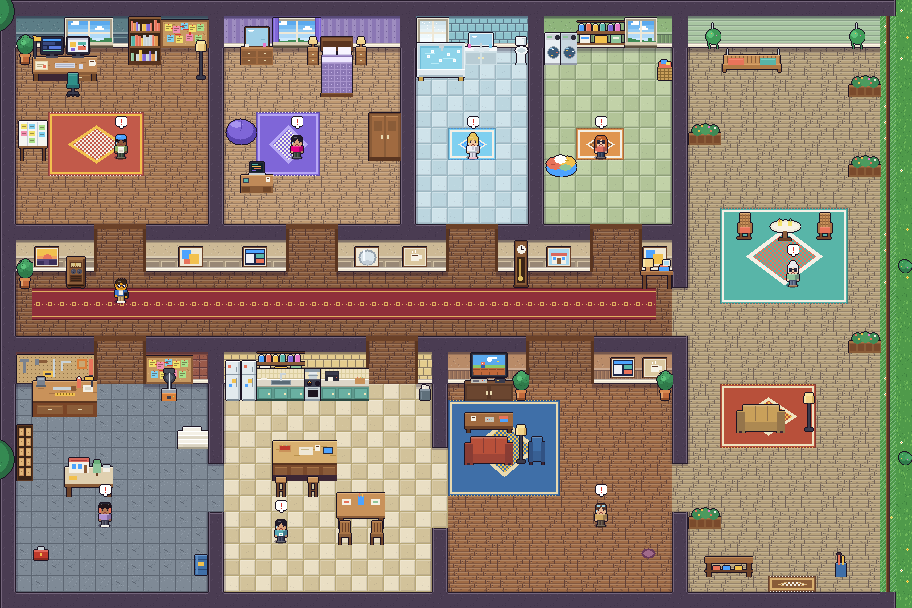
Play Mode turns my portfolio into a pixel-art house. Visitors can walk through rooms, meet characters, discover projects, and find personal details along the way.
My role was to shape the experience and direct its development: deciding what belonged in the world, how visitors would move through it, and where the playful treatment needed to give way to clarity. AI assisted with implementation; I evaluated the results and guided the revisions.
Step inside
Play Mode is another way to explore the same portfolio. Use the sun/controller toggle to switch between the regular site and the game. Opening it in a new tab keeps this case study here for your return.
Familiar content, a different presentation
I brought the case-study content into the game from the live HTML pages. Keeping the content connected lets the same work support two different ways of exploring the portfolio.
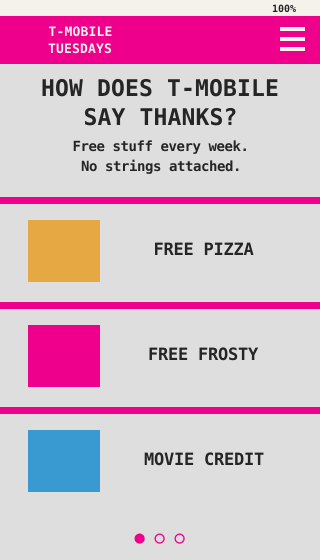
The game needed its own visual language. I simplified the presentation rather than carrying every editorial style into it, and used 16-bit-inspired interpretations of selected project images. For the T-Mobile work, I focused on the app screens rather than the hands and phone photography around them.
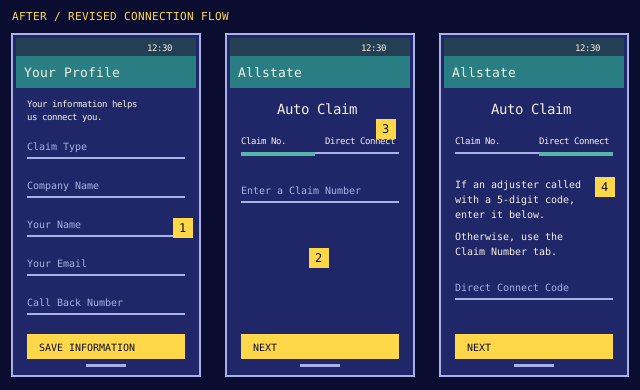
I also changed how numerals were rendered throughout the game after noticing that the pixel font made 2 and 5 difficult to distinguish. The aesthetic should support reading, especially inside a case study.
Explore, or go directly
Walking gives visitors a sense of discovery. The Quest Log provides a faster route: select a project and jump to its room. Exploration is an option, rather than a prerequisite for seeing my work.
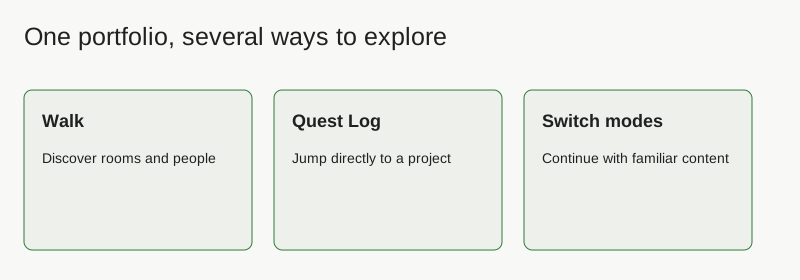
I ordered the rooms in the Quest Log to follow the map from left to right, top to bottom. “Say hello” stays last, reflecting the contact action at the end of the regular site’s navigation.
Two visual styles, one portfolio
I wanted visitors to choose how they explore my work. The regular site uses a quiet editorial style: clear typography, generous space, and direct access to case studies. Play Mode presents the same work through pixel art, rooms, characters, and game-like discovery.
Clarity comes first.
Read the projects directly, with familiar page navigation.
Explore the house.
Discover the projects through rooms and interactions.
A visible way to switch
The persistent toggle pairs a sun with a pixel controller. The highlighted icon shows the current mode; the other offers a way to switch. Keeping it available gives visitors control over the experience at any point.
The same toggle stays in the bottom corner of both modes. Both selected states are shown above, each styled to match its mode.
Keeping your place between modes
Switching should preserve the visitor’s project context. From a case study, the controller takes them to that project’s room. From an open project in the game, the sun returns to its regular case study. While exploring the house, switching back returns to the homepage.
I chose to land visitors in the room rather than immediately open its project panel, letting them orient themselves in the game before interacting.
Different inputs, the same destinations
I refined keyboard, mouse, and touch interactions so visitors had more than one way to move and interact. Desktop supports walking with keys and interacting through a key or click; touch supports dragging to walk and tapping to interact.
Contextual prompts show when an interaction is available. Instructions adapt to the device so touch visitors aren’t asked to use keyboard shortcuts. The Quest Log and Rules offer orientation when visitors need it.
Small details make it personal
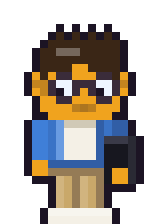

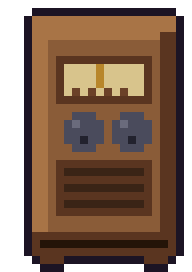
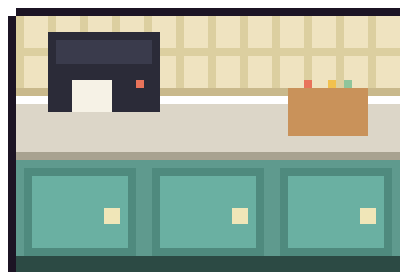
The radio, cat, coffee interactions, and environmental dialogue give the house personality beyond its project links.
A radio that feels like a radio
I directed several revisions to the radio sprite, adjusting its proportions, tuner, knobs, and grille. Its playback panel needed to feel connected to the object in the room. Music controls include playback, track selection, mute, and an adjustable volume.
The soundtrack uses an in-browser synthesizer. Choosing the mood and refining the sound were part of developing the experience; this project credits AI-assisted implementation rather than presenting the tracks as manually performed recordings.
Easter eggs that reward curiosity
I wanted the house to hold discoveries beyond the portfolio itself. These optional interactions add humor and surprise without standing between visitors and the projects.
- Coffee-powered transformations. A three-cup coffee chain unlocks a temporary surprise: Super Saiyan, Sonic-inspired speed, or flight. The burst ends with a coffee crash.
- A feline design review. Interacting with the cat reveals its verdict: “The cat has reviewed the design and finds it acceptable.”
- A familiar file-naming joke. The desk hides a nod to design life: two monitors, cold coffee, and a Figma file named “final_v12_REAL.”



Animations rendered from the game’s actual map, furniture placements, sprites, and effect functions. The flight and running loops show front, back, and side views; Sonic retains his afterimage trail.
Testing the coffee interaction
The coffee interaction adds a playful power-up. During earlier refinement, a timing issue left slower interactions stuck at two of three cups. Testing the exported HTML exposed a problem that a quick pass could miss.
The work was in the refinements
The initial implementation was only the starting point. I used specific visual and behavioral feedback to turn it into a more coherent experience.
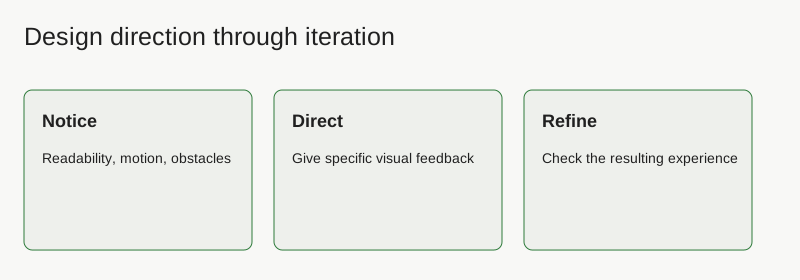
- Reduce competing signals. I removed repeated hand movements when existing interaction prompts already communicated that a character wanted attention.
- Keep navigation stable. Closing the Quest Log changed the apparent zoom. I directed a fix so opening or closing navigation wouldn’t change the world’s scale.
- Protect movement paths. Furniture placement needed several adjustments to keep doorways clear.
- Refine audio feedback. Earlier reports of harsh static led to changes in the audio implementation and softer interaction sounds.
- Keep the visual style readable. Typography and project imagery were revised when the game treatment made information harder to understand.
These were my own hands-on checks and design iterations. I haven’t measured visitor engagement or conducted a formal usability study for this project.
Room to grow
Blank rooms leave space for future portfolio projects. I’m also exploring a closing sequence that rewards completing the quests and ends with clear actions to get in touch or continue browsing.
The ending remains a separate prototype. Next, I’d test orientation, project discovery, and controls with visitors on desktop and mobile, then use those observations to guide further improvements.