Virtual Assist
Web streaming app for Android and iOS

this iteration
TL;DR
- I took over as design lead about a year after Virtual Assist launched, while it was still in its MVP phase.
- I introduced new features and improved existing workflows through analytics and user feedback.
- I also saw the Android and iOS apps through to launch, building on the original web experience.
- This case study shows one iteration focused on improving an existing workflow.
- I redesigned and tested the call setup flow to help users connect with an adjuster and reconnect easily if the call dropped.
- The core value of Virtual Assist was turning a process that once took up to 4 days into a workflow averaging 46 minutes.
- The product grew to handle 50% of all supplements at Allstate.
The product
Virtual Assist (VA) is a web-streaming tool that connects Auto Body Shops or Customers directly to an Adjuster when contesting the price for fixing a damaged vehicle.
Shop staff used the mobile app to connect with adjusters answering video calls through a desktop web experience.
Initial photos didn’t always reveal the full extent of the damage. Virtual Assist let shop staff walk an adjuster through additional findings in real time.
Prior to VA, this process would have involved an adjuster going onsite to an auto body shop, which would have taken up to 4 days. Now, the entire process takes an average of 46 minutes.
This case study focuses on one iteration of the Android and iOS experience.
Process snapshot
One design iteration within an Agile XP workflow.
- Learn about a user
- Identify a problem
- Ideate on solutions
- Test solution
- Evaluate results
- Tweak design as needed or implement UI
Users
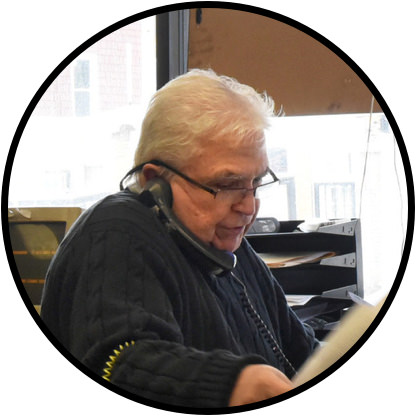
Auto Body Shop Owners/Employees: Most often these are small shops where the owner is the primary user of VA. They tend to be:
- 50+ in age
- Low to moderate technology use
- The sole user of the app within their shop
The problem


- Many users put the name of their shop and shops' phone number instead of their name. This is important, because when disconnected, an Adjuster will call the shop and not know who to ask for.
- This is redundant information from the previous screen! Many users would see this screen and hit ‘Next’, thinking that the page was complete only to receive an error after. Additionally, this information seems to never be altered.
- There is no explanation for what the ‘Enter Code’ button does! Some users could click it because they thought it was required when it is not.
- For users who accidentally got here, it took time before they realized they had to click the ‘back’ button to get to the previous screen.
The original profile and call setup screens, annotated with the four usability problems addressed in this iteration.
Solution
User interviews informed the problems addressed here. I created a series of solutions and tested selected designs with users through interactive prototypes. The resulting changes are shown below.


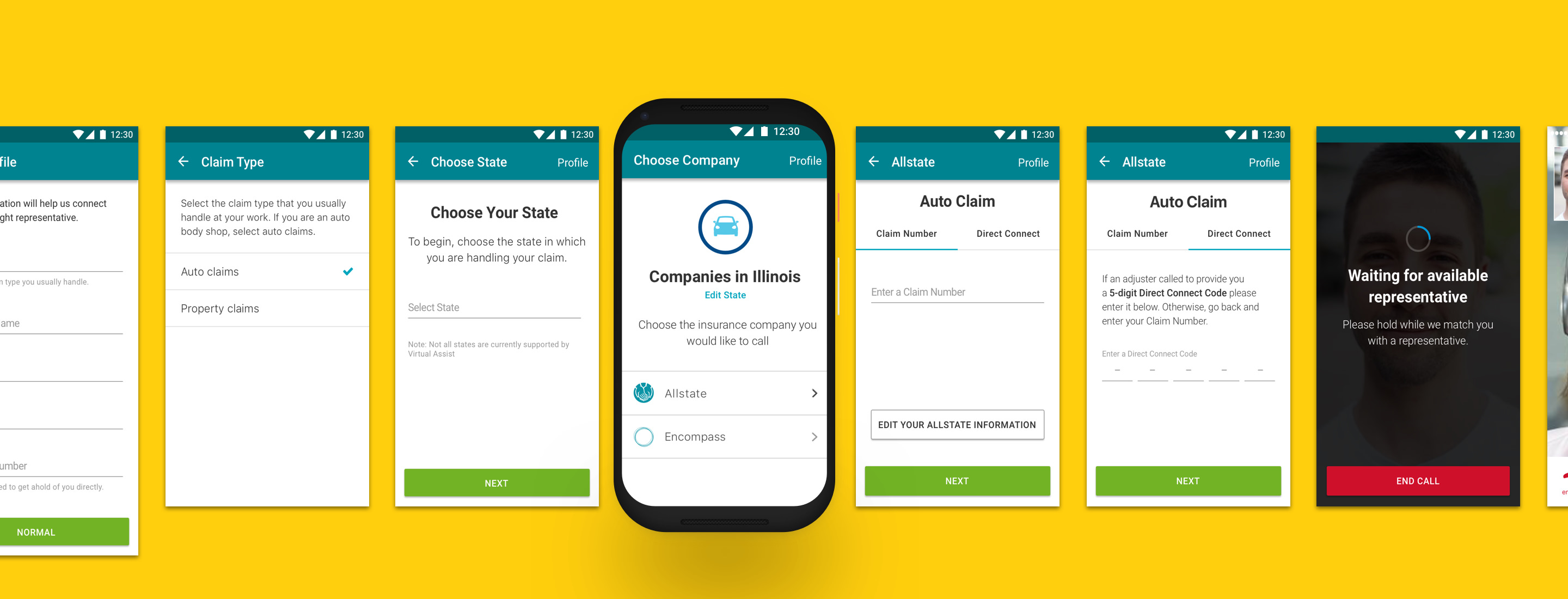
- By adding an input for ‘Company Name’ we’ve had nearly ALL USERS inputting their name! (First and sometimes last.)
- We removed the redundant profile information. When asking users how they would edit their information they knew to go to ‘Profile’.
- Before, the ‘Enter Code’ seemed like a command. Working with a content strategist we changed the button label to ‘Direct Connect’ to make the copy feel less mandatory.
- We made the ‘Claim Number’ and ‘Direct Connect’ sections into Tabs. This is because a user will do one or the other of these, and it seemed to provide the user with a greater level of affordance.
The revised profile and call setup screens: a separate Company Name field, less repeated information, and two tabs for connecting.
Results
Following the changes I designed and tested, more users entered their own names, and the team received noticeably fewer complaints about these areas.
Broader product impact
Virtual Assist turned a process that could take up to 4 days into a workflow averaging 46 minutes and grew to handle 50% of all supplements at Allstate. The broader product also saw increased retention.
Adoption beyond Allstate
Gerber Collision & Glass licensed Virtual Assist for use across its collision repair organization, extending the product beyond Allstate’s claims workflow.
Next steps at handoff
- Continue Testing and improving the apps
- Ensure WCAG AA accessibility standards
- Expand to secondary user cases/personas
- Speak with Adjusters to gather more information
- Create a Mobile App for Customers